Great idea, slow loop
Point-based goals have been one of our most requested experiences, and for good reason: instead of a fixed checklist, visitors earn points for the places they actually go, then spend those points on rewards they actually want. It’s the arcade model, applied to a destination. New to the concept? Start with Introducing Point-Based Rewards →
The catch was authoring. Setting up a points trail meant a request to your account manager, a round-trip, and a wait – a long feedback loop for something you’d genuinely want to tune mid-season. Not anymore.
Point-based, right in the rule type menu
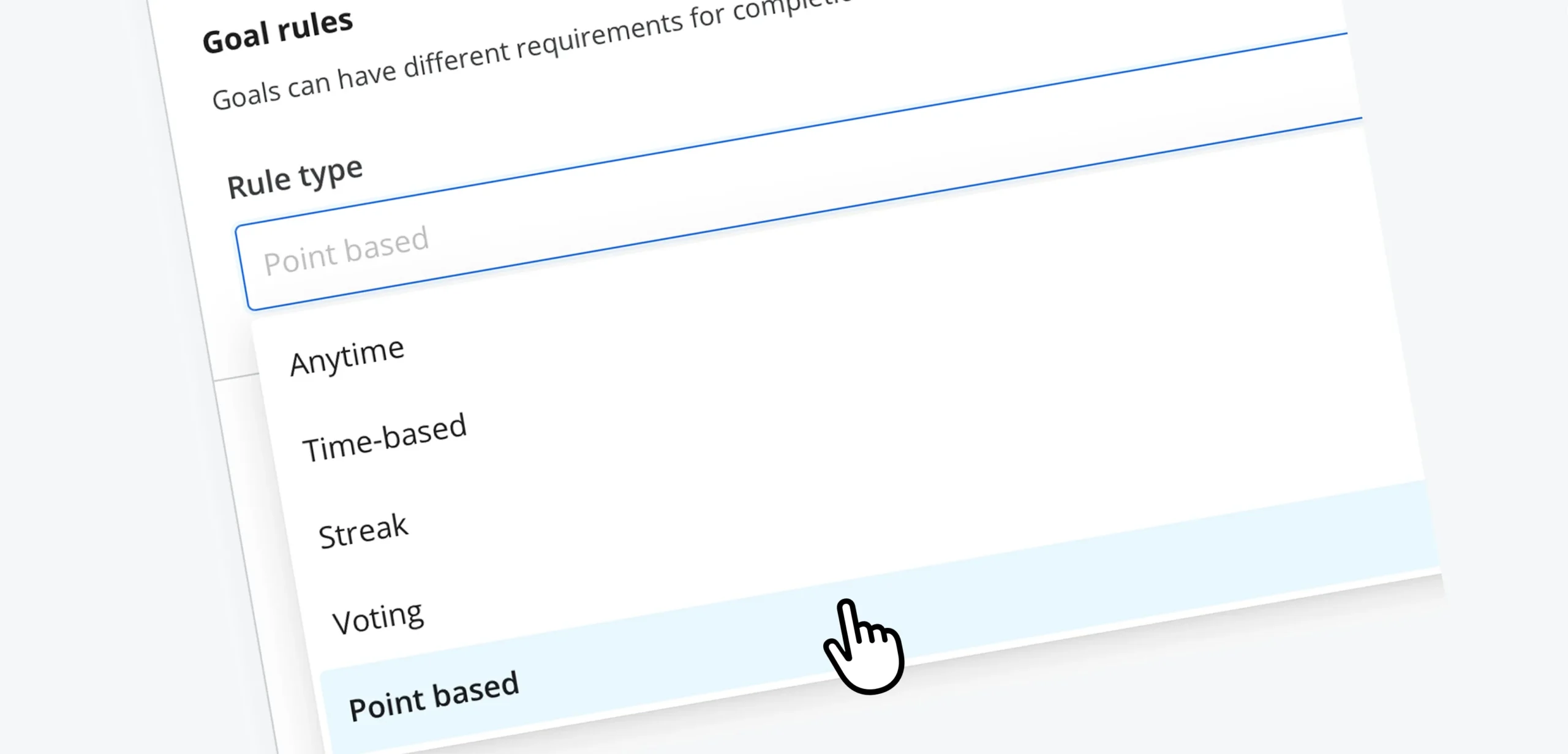
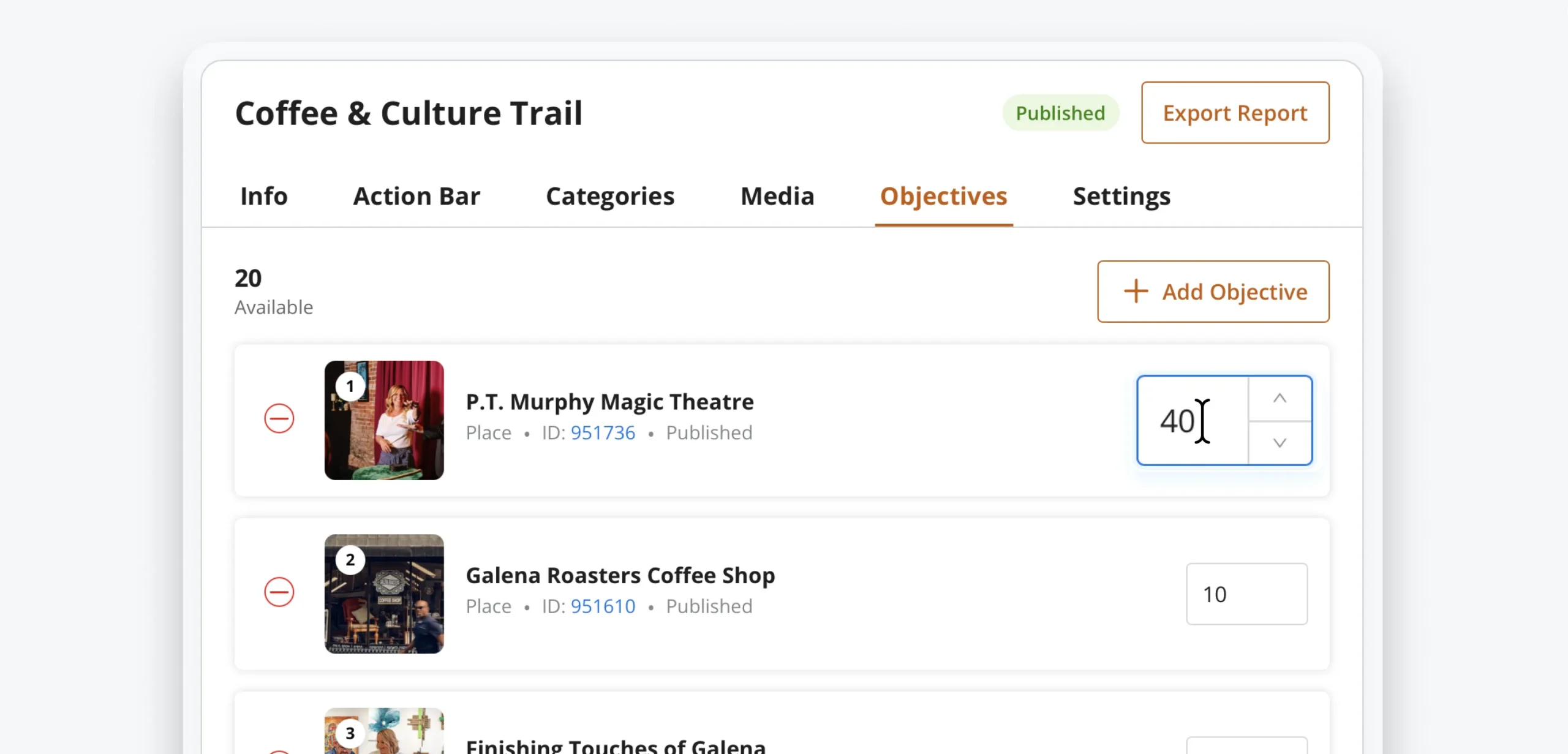
Point-based is now a rule type you can select when you create a goal. Choose it on the Settings tab, add your stops on the Objectives tab, and set a point value on each one right there in the list. Values save the moment you enter them, so you can walk the whole trail and rebalance it in a single pass.
Because point-based goals don’t behave like completion goals, the editor gets out of your way: settings that don’t apply – like reward redemption on the goal itself – simply don’t appear. Rewards live on their own, which is what makes the whole model flexible.
How it works
1. Create a goal and choose Point-based as the rule type.
2. Add your objectives – the places, events, or tours that earn points.
3. Set a point value per objective. Weight the hard-to-reach stops higher; that’s the whole lever.
4. Set up your rewards so there’s something to spend on. See Rewards, Your Way →
5. Publish. Visitors start banking points on their next check-in.
A trail that actually works
| Fall Foliage Trail — earning | Points |
|---|---|
| Overlook parking areas | 10 each |
| Partner cafés | 25 each |
| The summit hike | 75 |
| Fall Foliage Trail — spending | Points |
|---|---|
| Enamel pin | 50 |
| Trail mug | 150 |
| Weekend stay | 400 |
The math is the design. If your top reward should take a real weekend to earn, price it against a realistic day’s worth of check-ins and work backward. Small, frequent wins near the bottom keep people moving; one aspirational reward at the top gives them a reason to come back.
Good to know
- Points come from check-ins. A visitor earns a stop’s value when they check in there, so your trail rewards real movement, not browsing.
- One live point-based goal per place. A listing can only be earning for one active trail at a time, which keeps the math honest.
- Tune it in season. Point values are editable on a published goal. If a stop is getting no traffic, raise it and watch what happens.
- Every check-in is data. Your points trail doubles as an attribution instrument – you’ll know which stops moved and which didn’t.