Knowing what landed
Via answers visitor questions around the clock, from where to eat tonight to how to spend a rainy afternoon. Until now, we could see what travelers asked, but not whether the answer actually helped. The people best placed to tell us are the travelers themselves.
A thumbs up, a thumbs down, done
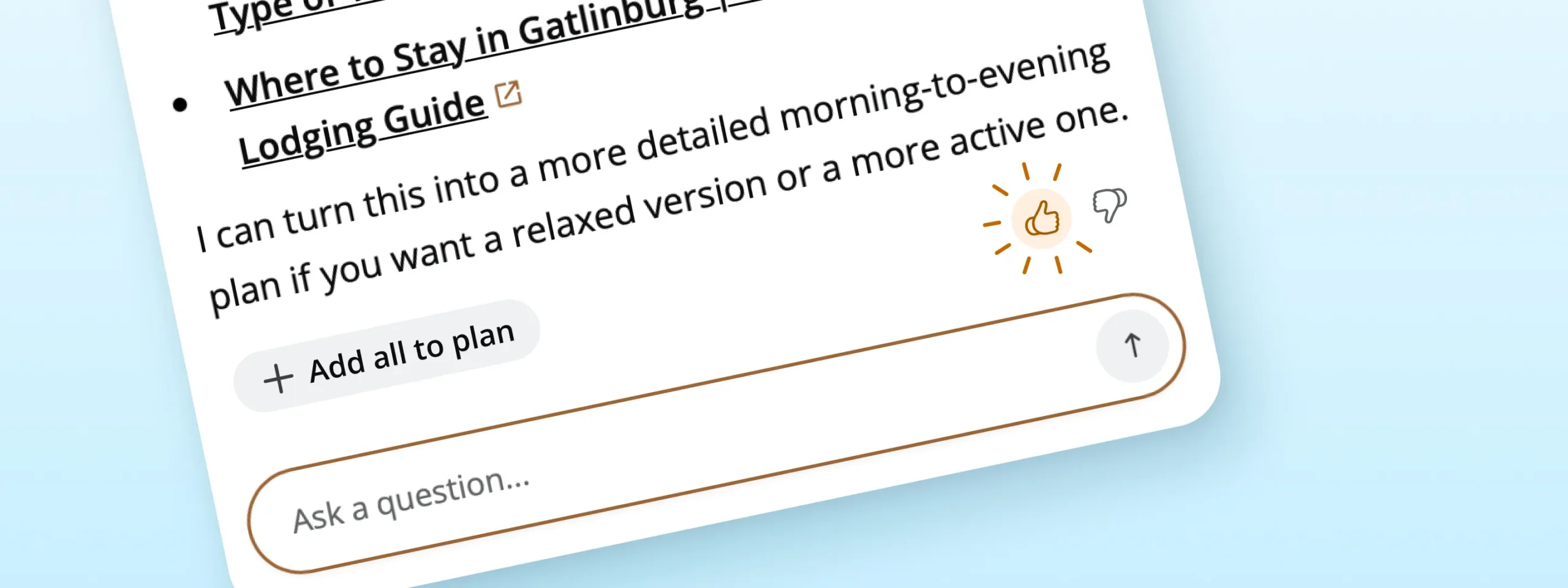
Beneath every finished Via response there’s now a small feedback row with a thumbs up and a thumbs down. One tap records the rating. No pop-up, no survey, no comment box. The Add all to plan button moves into the same row and works exactly as it did before.
How it works for visitors & locals
- Ask Via. “What’s open for brunch on Sunday?”
- Get the answer. The feedback row appears once the full response, map and listing cards included, has finished.
- Tap a thumb. It fills in, and that’s it.
- Change your mind. Tap the other thumb to switch, or tap the same one again to clear it.
- Keep chatting. Rate as many responses as you like. Each one keeps its own rating.
What it means for you
Every rating is tied to the exact response it refers to and the platform it came from: desktop, mobile web, app or kiosk. That gives our team a direct line from traveler to tuning. We review ratings alongside the conversations behind them, see which questions Via handles well, and focus improvements where travelers tell us an answer missed. Better answers build trust, and trust brings travelers back to Via for their next question.
Where it shows up
- The Via chat on your website, desktop and mobile
- Branded mobile apps on iOS and Android
- Interactive kiosks
Good to know
- Nothing to set up. Feedback appears automatically for Via clients. App users see it on the latest version of your app.
- It never interrupts an answer. The row appears only after a response finishes, and space is saved for it so nothing on screen jumps.
- Signed in or not. Guests and signed-in users can both rate.
- Just a tap. Travelers aren’t asked for comments or personal details.
- Add all to plan, same as before. It now sits in the feedback row and still appears only when a response includes places to add.