One community, two audiences
The responsibilities of destination marketers keep expanding, but the goal stays the same: grow the local economy so the people who live there enjoy a better quality of life. Residents are part of that story every day. They go to the festivals, eat at the restaurants, and send their visiting friends and family to the places you promote.
When a city wants to reach residents on their phones, the usual answer is a separate municipal app. That means a second build, a second budget, and a second campaign to convince locals to download something new. Meanwhile, your destination app already has the downloads, the content, and the push audience.
A resident portal inside the app you already have
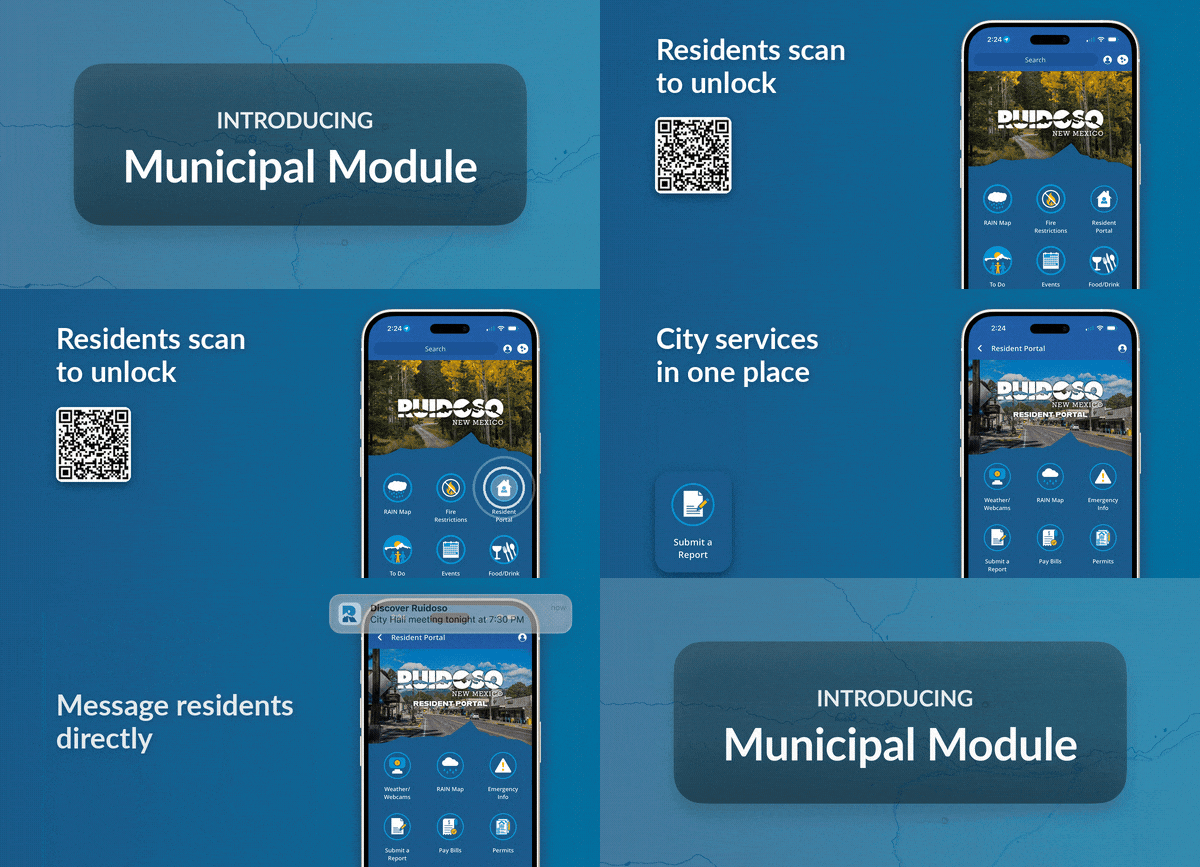
The Municipal Module adds a resident-only section to your existing app. The city shares a QR code or an access link through the channels residents already see: a utility bill insert, a city email, a flyer at city hall. One scan or click unlocks the portal, which opens with its own home screen built around city services.
Visitors keep the experience they already know. Residents get everything visitors get, plus a direct line to their city.
What residents can do
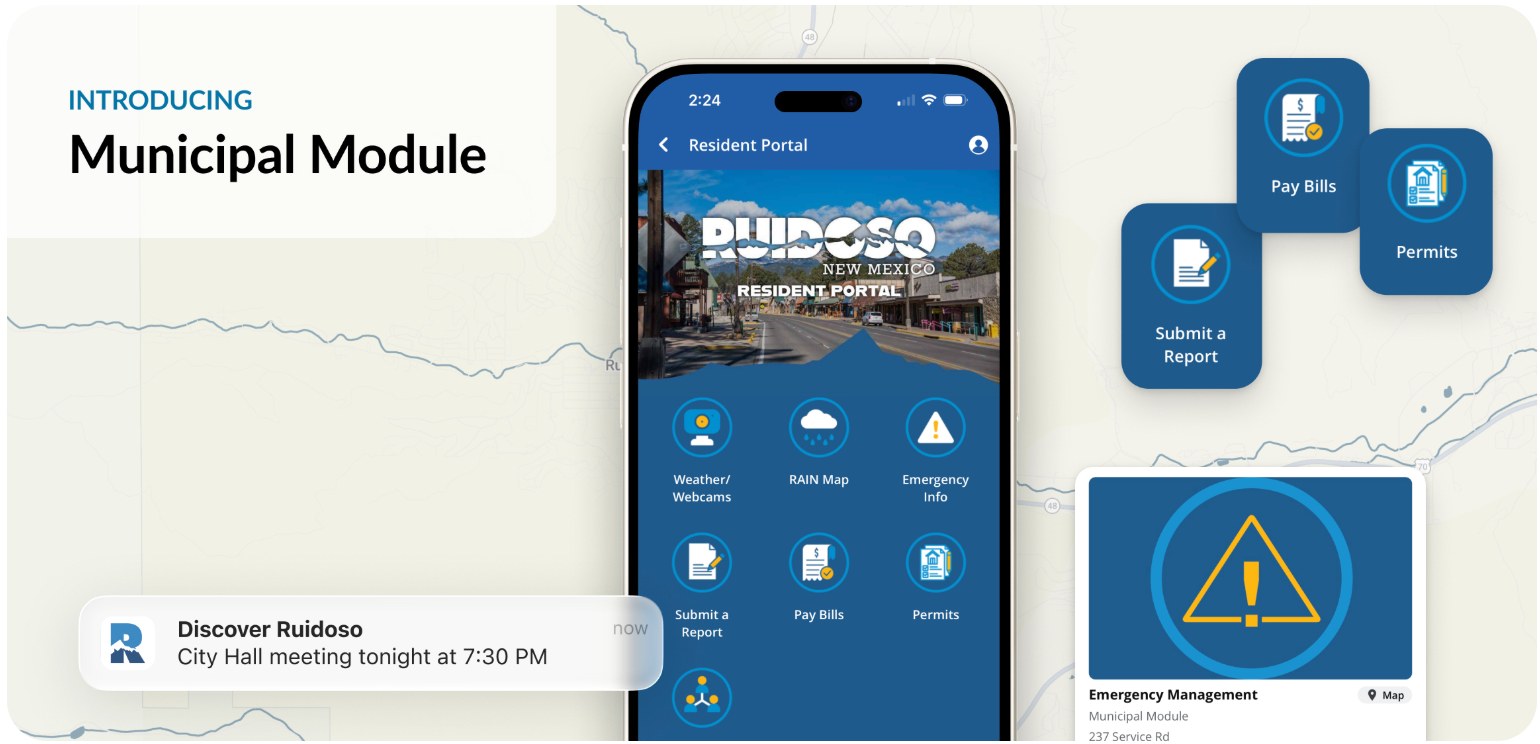
1. Report an issue. Residents pick a department and a report type, and the form adapts to what they chose. Submissions go straight to the inbox of the department that handles them, whether it is a broken streetlight, a pothole, or a missed trash pickup.
2. Find the right department. A directory of city offices with a description, phone number, website, and location for each one.
3. Reach city services in a tap. Bill pay, permits, meeting agendas, collection schedules, and other services link to the systems the city already runs online. Nothing gets rebuilt, and no resident accounts or payments are handled inside the app.
4. Stay informed. City updates arrive by push notification, from meeting reminders to service changes and emergency alerts
How it works
1. Pick what goes in the portal. At kickoff, we work with you and your city partners on the departments, report types, and service links residents need most.
2. We build it. Our team configures the portal home screen, the report form and its routing, and the department directory.
3. The city shares the unlock. You get a QR code and access link to put in front of residents wherever they already look.
4. Residents scan once. The portal unlocks in the app they already have. No second download.
5. You manage it like everything else. Content and messaging live in the same tools your team uses today.
Good to know
• Same app, same install. The portal is part of your existing app, so there is nothing new for residents to find in the app store.
• Proven foundation. The portal runs on the same gated-access technology behind our meeting planner and convention attendee sections.
• Resident-only messaging is on the way. Targeted push segments, now in development, will let you send a council meeting reminder to residents only while an emergency alert still reaches everyone in town.
• An add-on, not a new contract. The Municipal Module is available on top of your current plan. Your account manager can walk you through setup and pricing.