One listing, many categories
Most of your listings belong to more than one category. A distillery is also a tasting room. A hotel is also a wedding venue. A park is also a trailhead. Your CRM knows all of it, your sync brings all of it over, and that’s exactly how it should be – a visitor filtering for Live Music should find the restaurant with a stage.
But a listing card only has room for one. Until now, that one was whichever category happened to sort first, which meant a well-intentioned reorder somewhere upstream could quietly change what your visitors saw. Some teams were re-categorizing listings by hand just to influence the order. That’s a lot of work to control one icon.
Pick the one that represents it
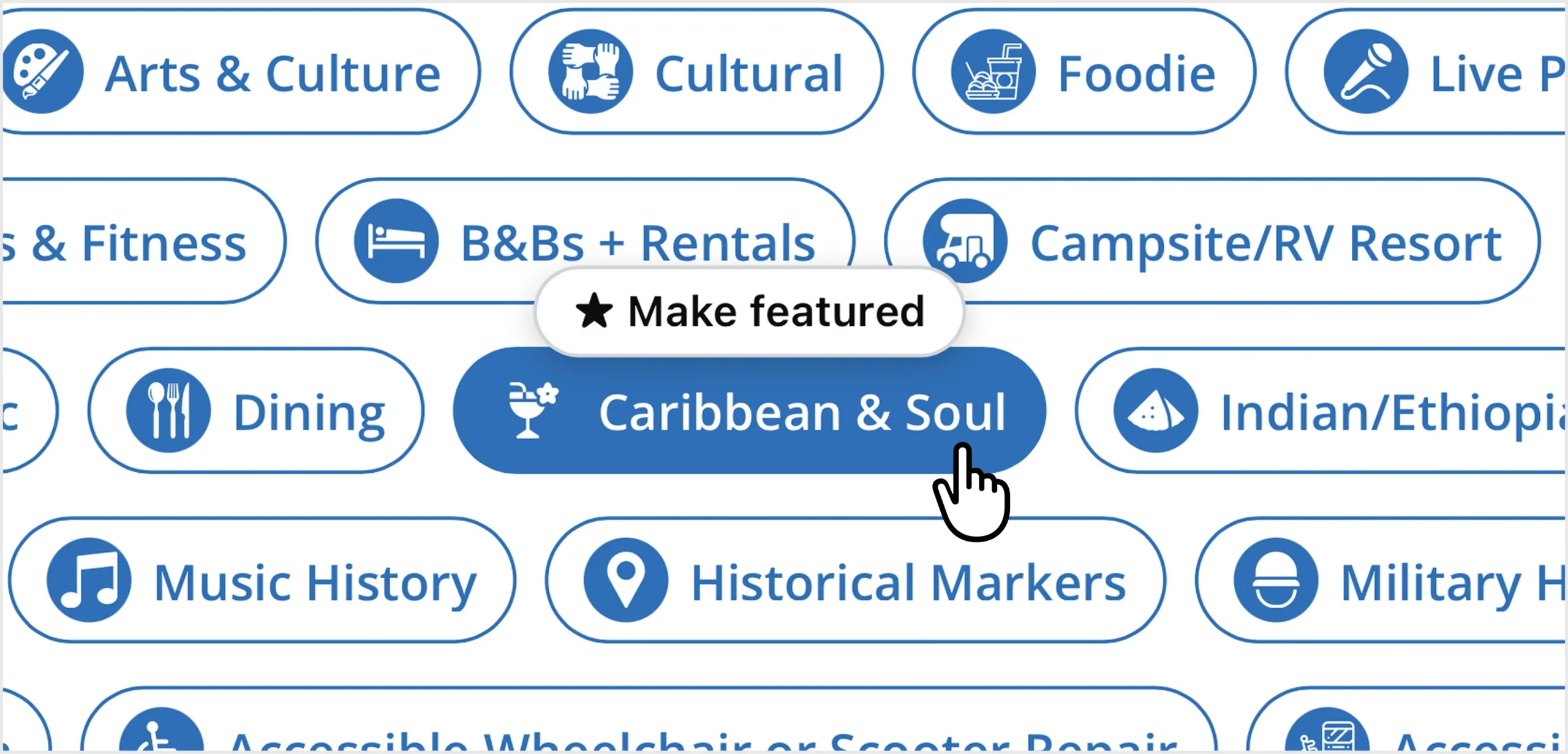
Every listing now has a featured category: the single category that drives how that listing presents itself. Open a listing, go to the Categories tab, hover any category you’ve already assigned, and choose ★ Make featured.
It’s one choice per listing – featuring a new category releases the old one – and a persistent badge tells you at a glance which one is carrying the listing. Nothing else about your categories changes. Filters, search, and browse still use the full set. You’re picking the face, not trimming the list.
How it works
1. Open the listing. Places, events, tours, challenges, goals, and ad units all support it.
2. Go to the Categories tab. Your assigned categories appear as chips.
3. Hover a selected chip. A ★ Make featured action appears – on selected chips only.
4. Click it. The Featured badge moves to that chip. Save.
5. That’s it. No app update, no republish, no waiting on us.
Where it shows up
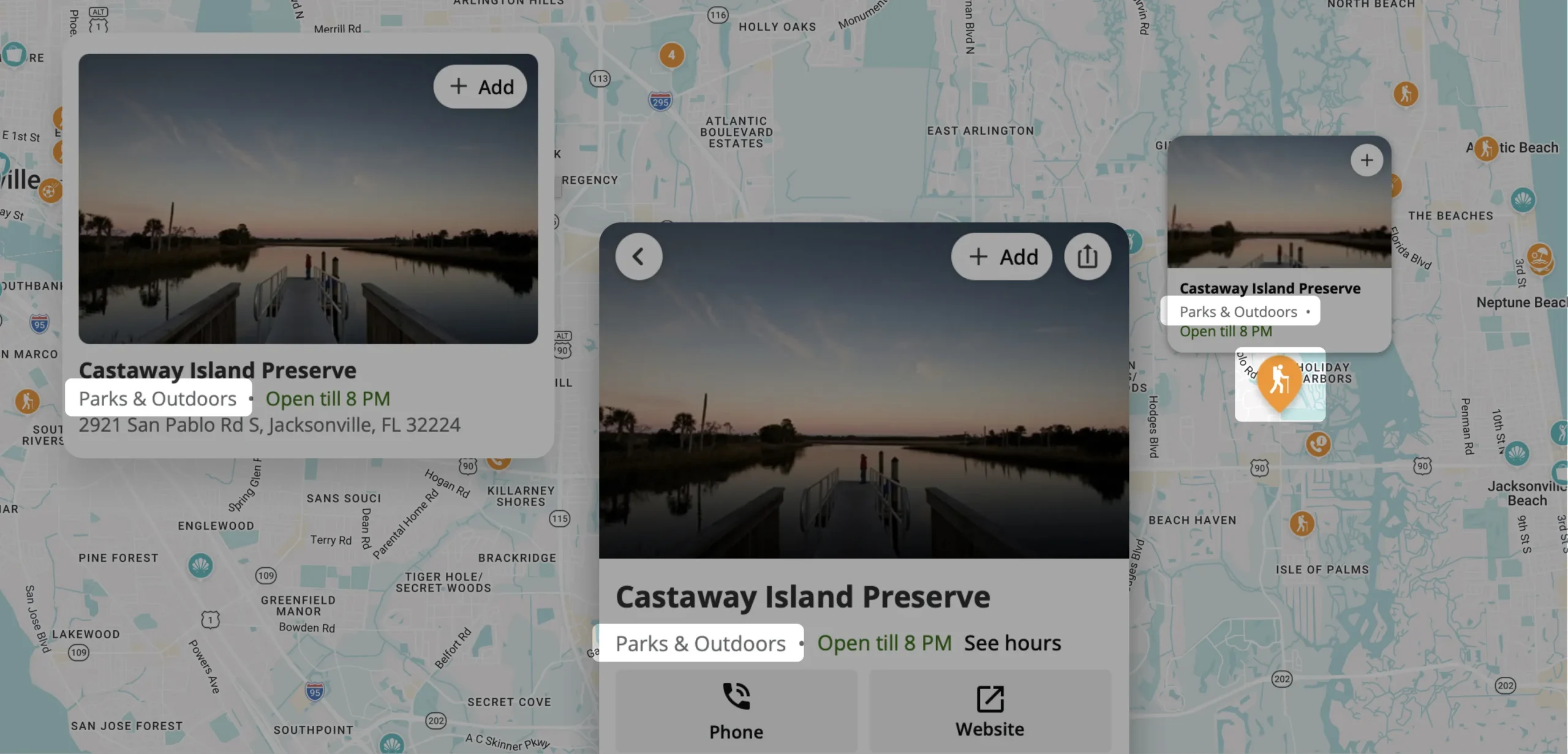
The featured category drives the listing’s color and icon everywhere the platform shows a single category:
- List view – the category label and color on the card
- Detail view – the category treatment at the top of the listing
- Map pin – the icon your visitors actually navigate by
Good to know
- Haven’t picked one? Nothing breaks. Listings without a featured category fall back to the first assigned category, exactly as before.
- Sync-safe. Your nightly sync manages category assignments; your featured choice rides along untouched.
- One per listing. It behaves like a radio button, not a checkbox – no ambiguity about which one wins.
- Worth batching. If your destination has an obvious anchor category – Tasting Room, Trailhead, Lodging – set it across that whole group at once and your map instantly reads as one coherent system.